


epocrates: Drug Info & Pill ID
2.75.45K Reviews
App Specs
- Version
- 26.8.1
- Updated On
- License
- Free
- Downloads
- 1,000,000+
- Developer
- Epocrates, Inc.
- Categories
- Medical
- Platform
- Android, iOS
Screenshots
 Analysis by AppCompare
I would treat epocrates as a reference tool to consult when a medication question comes up, rather than as something that should make decisions for a household. That distinction matters when one phone is shared: a quick lookup can help someone prepare a better question for a pharmacist or clinician, but it cannot establish whose prescription is whose or whether a medicine is appropriate for a particular person.
One phone, several medication questions
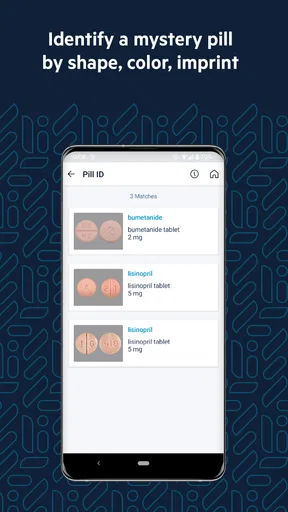
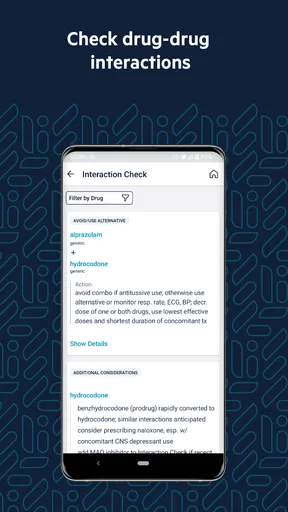
A realistic shared-device use might be a family member checking the name of a medicine while another person is organizing a list for an appointment. The app’s drug interaction checker is useful for examining a set of medicines together, while the pill identifier can help investigate an unfamiliar tablet. I would keep those tasks separate: identify a pill as a clue, then confirm it with a pharmacist before anyone takes it. A visual match is not a substitute for checking the package, prescription, and patient.
For a caregiver, the practical value is often in preparing, not diagnosing. You can use a lookup to note a question about dosing or a possible interaction, then bring that question to the person’s care team. This is more useful than trying to settle a complicated medication decision in the middle of a busy day. The app can make the conversation more specific, but it does not know the full medical history behind the prescription.
Keep personal boundaries clear
Before putting several people’s medication information into one device or account, I would agree on who is using it and what the information is for. A shared phone can blur personal boundaries, especially if one person searches while another assumes the results refer to them. I would avoid treating a search history, saved list, or screen left open as a reliable household medication record; each person should confirm their own current medicines and instructions with a qualified professional.
That approach also answers a common practical question: can this replace a medication organizer or a household list? I would not use it as the sole system for either job. A drug reference helps explain and check information, while a current list maintained for the right person helps communicate what they actually take. Keeping those roles distinct reduces the chance of applying one person’s lookup to someone else.
Useful coordination, with limits
Epocrates can support coordination when a caregiver wants to check terminology before calling a clinic, or when someone is comparing a newly prescribed medicine with the medicines they already take. A good workflow is to verify the exact drug and formulation, check the relevant interaction information, and write down what remains unclear for the prescriber or pharmacist. If the result raises concern, I would not stop or change a medicine based on the app alone.
This is also where the app differs from the usual alternatives. A general web search may return pages of mixed quality and make it hard to tell which result applies to the exact product. A pharmacy label is better for the individual’s prescribed directions, and a pharmacist can discuss a person’s situation directly. Epocrates sits between those options as a convenient drug reference, not a replacement for either professional advice or the official directions on a prescription.
Worth Reading Before You Choose

EA SPORTS FC Mobile 26 Is a Bigger Football Game, but It Takes Time

Flipboard Shows What News Apps Must Do Beyond the Feed

Switching to Android Auto Means Rethinking Your Driving Routine

Google Calendar Makes a Crowded Week Easier to Manage

Ludo King Makes the Most of the Minutes Between Plans

Baby Panda World Brings Quick Play to Modern Phones, but Its Game Library Feels Busy
One trade-off is that a fast answer can feel more definitive than it really is. Interaction information needs context: the exact medicines, dose, timing, and individual circumstances can matter. I would use the checker to spot something worth asking about, not to decide that a combination is automatically safe or unsafe. That small pause is particularly important when several people in the home take different medicines.
Who it suits at home
The app is a better fit for adults who are comfortable reading medical information and want a handy starting point for medication questions. It may also help caregivers who need to prepare for a conversation with a clinician. It is less suitable as a child-facing medicine guide, a way to identify a tablet with certainty, or a shared family record that everyone assumes is complete and current. For those needs, direct guidance from a pharmacist or clinician is the safer choice.
Age context matters even though the app’s content rating is Everyone: that rating describes the app’s store classification, not whether a child should make decisions about medicines. I would keep medication decisions with an adult and a qualified professional. Trust should come from using the app within its limits, checking the actual prescription, and asking for help when a result is unclear.
There are also sensible reasons to skip it. If you only need to know how to take a medicine already prescribed to you, the label and the person who prescribed it are the best starting points. If you need a personalized assessment, an app cannot replace a clinician who can ask about allergies, conditions, and the rest of your treatment. And if dense text is difficult for you, the reference-style presentation may feel less approachable than a direct conversation with a pharmacist.
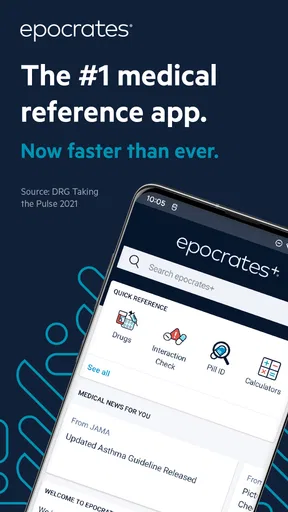
Have you ever found yourself in a situation where you're staring at a prescription, scratching your head, and wondering what all these meds really do? Well, let me introduce you to epocrates, the ultimate drug checker app that seems like it was designed just for moments like these. Whether you're a healthcare professional or just someone trying to make sense of their medication, this app could be your new best friend.
Getting Started with epocrates
Jumping into epocrates is as easy as pie. Once you download the app, available on both Android and iOS, you're greeted with a clean, user-friendly interface that doesn't overwhelm you with options. I found this to be a breath of fresh air, especially considering how complex medical apps can often get. Setting up your account is a breeze, and before you know it, you're diving into a world of drug information.
Epocrates is a free medical app from Epocrates, Inc., although in-app purchases range from about thirteen dollars to around two hundred and twenty-five dollars per item. I would look at those purchases as a reason to check what you actually need before paying, rather than assuming every useful lookup requires a subscription. The app has been around since 2010, has more than a million installs, and holds an average rating of 2.7 from around twenty-six thousand ratings, with roughly five and a half thousand written reviews. That mixed rating is a useful reminder to try the free experience for your own workflow before committing to paid features.
Features That Stand Out
So, what's the big deal about epocrates? For starters, its drug interaction checker is a game-changer. Imagine having a virtual pharmacist in your pocket, ready to warn you about potentially dangerous drug interactions. The app allows you to enter multiple medications and instantly see if there are any red flags. This feature alone makes it worth the download.
But wait, there's more! The app doesn't just stop at telling you about meds. It provides detailed information on drug dosing, side effects, and even the latest clinical guidelines. This is particularly useful for healthcare professionals who need quick access to reliable information during patient consultations.
Everyday Use and Practicality
Using epocrates in daily life is like having a trusty companion who's always got your back. For those of us who aren't doctors, it takes the guesswork out of understanding prescriptions. You can quickly look up information about a drug your doctor just mentioned, ensuring you're well-informed about what you're taking.
One of the coolest features I stumbled upon is the Pill Identifier. Have you ever found a stray pill and wondered what it was? Just pop it into the app, describe the color, shape, and any imprints, and voila! You get an instant ID. It's like magic, but with pills.
What Could Be Improved?
While I found epocrates incredibly useful, it's not without its quirks. For instance, some features are locked behind a subscription model. I get it, quality information comes at a price, but for casual users, this might be a bit of a bummer. The free version is still robust, but if you’re someone who needs comprehensive features, you might have to shell out a little extra.
Another thing to note is that the app is heavily text-based. A few more visuals, like diagrams or video explanations, might make it even more user-friendly, especially for those of us who are visual learners.
Final Thoughts
All in all, epocrates is a solid app that delivers on its promise of making drug information accessible and understandable. It's like having a medical encyclopedia in your pocket, and the peace of mind it offers is invaluable.
If you're a healthcare professional, this app is probably a no-brainer. But even for regular folks who just want to be informed about what they're putting into their bodies, epocrates is a fantastic resource. So go ahead, give it a whirl, and see how much easier managing your medication can be.
Ready to dive into the world of drugs without the confusion? Check out epocrates in your app store and start exploring today!
With version 26.2.0, users on operating system version 9 or later can consider it when comparing device compatibility. I would still check that the app works smoothly on the particular phone before making it part of a clinical or household routine. Its Everyone age classification is a store label, not a signal that medication decisions are suitable for children to make independently.
A sensible household verdict
For a household, I see epocrates as a useful shared reference only when its boundaries are clear: one person’s search is not another person’s medical advice, and an identifier result is not proof of what a pill is. It is free to start, but its modest average rating and paid options make a low-commitment trial sensible. I would recommend it to adults who want a quick, text-led way to prepare informed questions about medicines; I would skip it as a substitute for a pharmacist, a personal medication record, or urgent medical care.
Pros
- Comprehensive drug database
- Easy-to-use interface
- Regular updates for accuracy
- Offers interaction checker
- Includes pill identifier tool
Cons
- Requires internet for full features
- Limited free version features
- Occasional app slowdowns
- Some features need premium
- Not available offline
FAQs for epocrates: Drug Info & Pill ID
What is epocrates and what features does it offer?
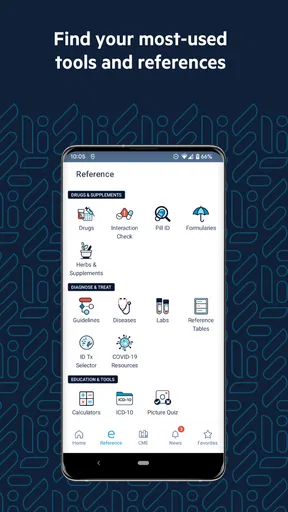
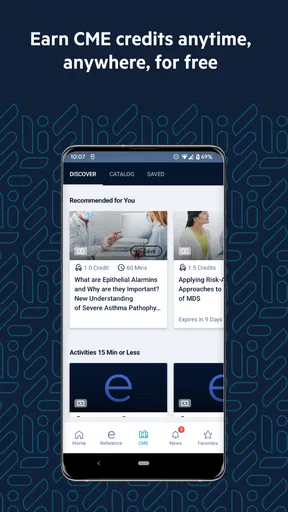
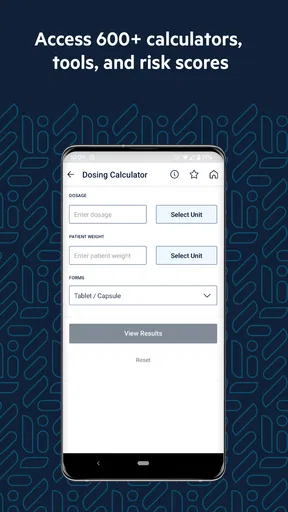
Epocrates is a medical reference app designed for healthcare professionals. It offers features like a comprehensive drug database, interaction checker, pill identifier, medical calculators, and clinical guidelines. The app also provides access to news and updates in the medical field, making it a valuable tool for doctors, nurses, and pharmacists.
Is epocrates free to use, or does it require a subscription?
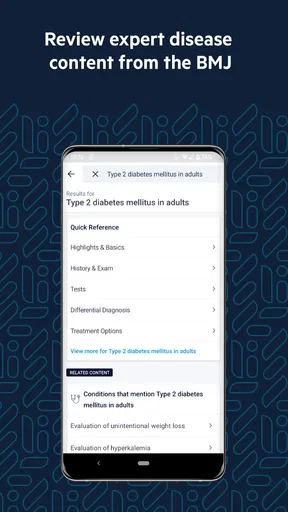
Epocrates offers both a free version and a premium subscription called Epocrates Plus. The free version includes essential features like the drug database and interaction checker. However, the premium version offers additional resources such as disease information, lab guides, and alternative medicine details. Users can choose based on their professional needs.
How does the drug interaction checker work in epocrates?
The drug interaction checker in epocrates allows users to input multiple medications to assess potential interactions. It provides detailed information on how drugs may affect each other, helping healthcare professionals make informed decisions about patient care. This feature is crucial for ensuring patient safety and optimizing treatment plans.
What are the system requirements for installing epocrates?
Epocrates is compatible with both Android and iOS devices. For Android, it typically requires version 7.0 or higher, while iOS devices need version 13.0 or later. It's advisable to have a stable internet connection for accessing updates and additional features. Always check the app store for the latest requirements before downloading.
How reliable is the information provided by epocrates?
Epocrates is highly regarded for its reliability and accuracy. The app sources its data from trusted medical references and is frequently updated to reflect the latest in medical research and guidelines. It's a popular choice among healthcare professionals for its comprehensive and up-to-date information, aiding in effective and safe patient care.


